

Why Integrate WooCommerce with Mintsoft?
Discover the ease and reliability Mintsoft brings to your fulfilment process, letting you focus on growing your business while we handle the logistics:

Automated Order Import
Prevent overselling and stock-outs. As items are sent out or received in Mintsoft, your WooCommerce inventory is updated in real-time, offering your customers clear stock availability.

Real-time Stock Sync
Prevent overselling and stock-outs. As products are despatched or received in Mintsoft, your inventory levels on WooCommerce are automatically updated in real-time, providing accurate stock visibility for your customers.

Streamlined Despatch & Tracking
Once orders are picked, packed, and dispatched via Mintsoft, tracking numbers and dispatch confirmations are sent back to your WooCommerce store automatically, keeping your customers in the loop with live updates.

Efficient Order Processing
Utilise Mintsoft’s advanced tools like multi-channel order unification, optimised picking paths, and sophisticated packing techniques to accelerate and refine your WooCommerce order handling.

Enhanced Reporting & Analytics
Access deeper insights into your sales, inventory movements, and fulfilment efficiency for WooCommerce, enabling data-driven decisions to enhance your operations.

Reduced Operational Costs
Cut down on errors, make better use of warehouse space, and increase staff efficiency, lowering your operational expenses and boosting profitability.
How the Mintsoft WooCommerce Integration Works
Link your WooCommerce store to Mintsoft effortlessly with secure API credentials.
- Sync Products (Optional): Import your product catalogue from WooCommerce to Mintsoft, or create products within Mintsoft to push to your store.
- Import Orders: Orders placed on your WooCommerce store are automatically pulled into Mintsoft, ready for processing.
- Process & Despatch: Orders are handled, picked, packed, and dispatched through Mintsoft, using your favoured couriers and fulfilment strategies.
- Update WooCommerce: Dispatch notifications, tracking numbers, and updated stock levels are synced back to WooCommerce, ensuring everything stays aligned.
Our dedicated team ensures a smooth setup process, getting you up and running quickly so you can start realising the benefits of automated fulfilment.

Who Benefits?

Growing E-commerce Businesses
Merchants with increasing order volumes on WooCommerce who want to scale fulfilment without scaling headcount

3PL & Fulfilment Centres
Logistics providers managing inventory and dispatch for WooCommerce clients.

Multi-Channel Retailers
Businesses selling across various platforms, including WooCommerce, looking to centralise order and inventory management in one robust system.
Explore our other API integrations
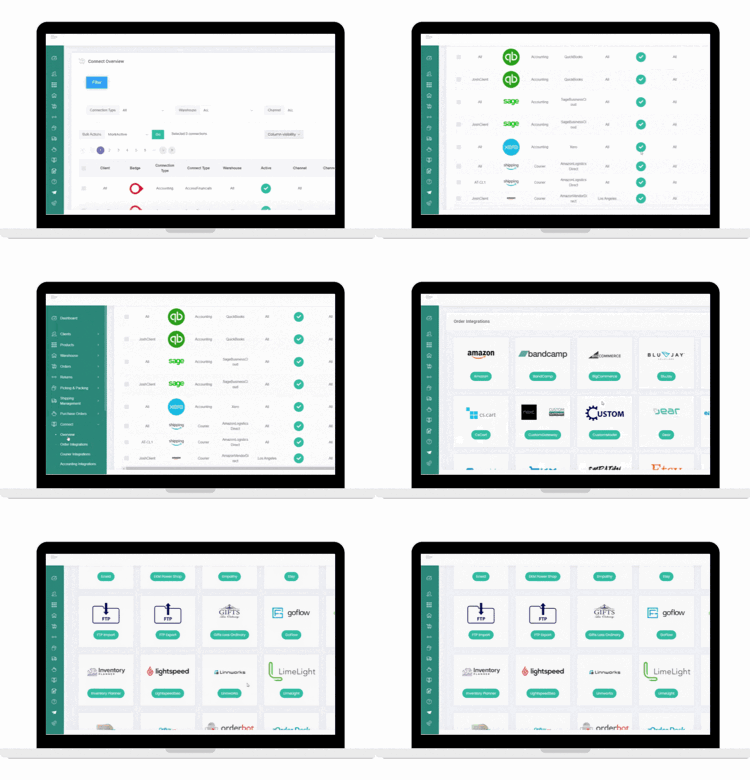
Multi-channel retailers require multiple API integrations and it’s important that your inventory and orders across other marketplaces are managed centrally to avoid stockouts and save time manually checking for orders. Mintsoft offer many other marketplace integrations for you to explore.
Courier Integrations
To complete the fulfillment process, Mintsoft also offer pre-built connections to a wide variety of UK and international shipping partners. If your shipping partner is not currently supported, the Courier API connector tool can help you build custom integrations.
Xero Integration FAQ's
How do I integrate between Xero and Mintsoft?
To integrate between Xero and Mintsoft, log into your Mintsoft account and navigate to the “Connectors” section, then select Xero. Follow the prompts to authorise the connection using your Xero credentials. Once you're connected, you can configure your settings to sync invoices, payments, and other financial data between the two systems.
Is the integration set up to address specific financial management needs?
Yes, the integration is set up to address specific financial management needs, for example, automating invoice syncing, payment tracking, and reconciliation. It helps you reduce manual data entry and ensures real-time financial visibility of your business operations.
What are the key benefits of integrating Xero with Mintsoft for my business?
The key benefits of integrating Xero with Mintsoft are improved financial accuracy, time savings through automation, better cash flow management, and enhanced reporting capabilities. The integration creates a seamless link between your order management and accounting systems.
