Order Rules
Use powerful and intelligent order rules to automate and speed up your order fulfillment processes.

+
Courier integrations
+
Online shopping platform integrations
+
3PL and Fulfilment customers
+
Online retail customers
Automate time-consuming tasks
Set up bespoke rules to perform actions on your orders as they are imported, based on field contents. Set order actions such as:
- Holding orders – place orders into awaiting confirmation status, to force a human validation check
- Generate order related documents – automatically generate gift or order-related documents to be added to orders
- Split orders – ship an order using separate couriers based on product categories i.e. for dangerous or specialised goods
- Order Routing - Assign orders to specific warehouse locations for fulfillment, and couriers based on their delivery destination or product type
- Tag orders – assign tags to orders when they meet certain conditions to aid batch processing and reporting
- Assign couriers – use complex rules to automatically assign courier services when orders meet multiple conditions
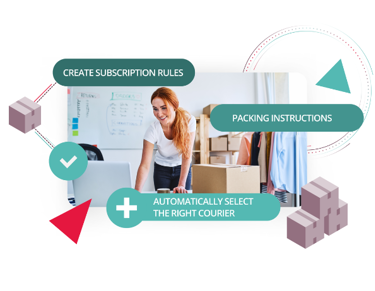
Explore Order Rules


Benefits of Order Rules

Order Validation
Check orders for accuracy, completeness, and compliance with business policies before processing. Tailor to your business, reducing errors and returns.

Shipping Options
Offer different shipping methods to customers and choose the most cost-effective or fastest option.

Intelligent Workflows
Create custom workflows and assign multiple rules, to work in logical order to automate complex fulfillment processes to save you time.
What our customers say
When using the FBA module and order rules, we can automatically replenish stock when it runs low, which means our clients, using our software have one less headache and worry.
The decrease in administration time, both from the client's perspective, as well as ours is quite dramatic.
Riki Hooker – Global Ecommerce Experts
Frequently Asked Questions
How do order rules work?
Order rules are custom actions that are assigned to data fields in your orders such as product category, SKU, delivery postcode. The action to be taken is defined by you, and happen automatically as orders are imported.
Is there a limit to how many order rules I can set up?
There is no limit to the amount of order rules you can set up. You can assign multiple rules to the same field and set up sequences of rules to automate processes and reduce manual intervention.
How much does the order rules module cost?
The order rules module pricing can be obtained by reaching out to our sales team – you can submit a pricing request here. If you’re an existing Mintsoft user, please get in touch with your Account Manager.
Can Mintsoft help me set up order rules?
Yes, you can purchase additional training sessions with our team, to get your team trained and started with setting up order rules.