

Why Integrate Sage with Mintsoft?

Financial management made easy
With Mintsoft automatically feeding your sales, purchase, and inventory data straight into Sage, everything stays accurate. No more manual data entry, no more correcting. Just more time to focus on what you do best

Clearer Financial Insights
When your daily warhouse activity meets the financial reporting in Sage, you'll get a sharper, real-time snapshot of your business's health. You'll drive growth faster with confident and data-driven decisions.

Simple Invoicing
Data from completed orders in Mintsoft flows directly into Sage, ensuring your sales invoices are created quickly and accurately. This improves your billing process and maintains your cash flow's health.

Automated Purchase Orders
Managing incoming stock is simpler too. Purchase orders from Sage can be brought into Mintsoft, helping you to track goods-in efficiently and ensuring your inventory records are always aligned with your financial commitments.

More time, less admin
By automating crucial data transfers, you free up valuable time for your finance and operations teams. The hours saved each week can be spent on planning, strategic thinking, improving customer service, or exploring new opportunities.

Enhanced reporting
With all your key financial and operational data together, creating detailed reports for stakeholders or for tax purposes becomes far simpler. Staying compliant and understanding your business performance has never been so straightforward.

Accuracy You Can Trust
The automated syncing will reduce the risk of human errors. Your financial records in Sage will consistently reflect the real-time order and inventory data from Mintsoft, giving you complete confidence in your numbers
How the Mintsoft & Sage Integration Works
- Simple Connection: Link your Mintsoft account directly with your Sage software (whether it's Sage 50, Sage 200, or other compatible versions). This creates a reliable, easy flow for all your crucial information.
- Automatic Data Transfer: Your sales orders, purchase orders, inventory movements, and invoicing details move effortlessly from Mintsoft straight into Sage. Your accounting records stay current without you lifting a finger.
- Synchronised Stock: Maintain accurate stock levels across both systems. As items move through your warehouse in Mintsoft, Sage is updated, ensuring the inventory valuation and sales reports are always correct.
- Integrated Invoicing: All your sales invoices are managed and processed efficiently. That financial data is instantly reflected in Sage, giving you a complete, accurate view of everything that's happening.
- Monitor Financial Health: Get valuable insights into your financial status with real-time data at your fingertips. This allows for smarter, faster and more proactive financial management, giving you the time to plan ahead.

Who Benefits?

Growing SMBs
Expanding business that need to connect the operational data with robust financial management to support efficient growth.

E-commerce Businesses
Online sellers who need precise financial tracking, simple invoicing, and accurate inventory valuation across multiple channels will find this invaluable.

3PL Providers
Third-Party Logistics businesses can optimise client billing by pushing fulfillment data directly from Mintsoft into Sage, ensuring accurate and timely invoicing for services rendered.
Finance Teams
Professionals looking to simplify data processes, cut down on manual input, and significantly improve accuracy across their financial systems will see immediate benefits.
Warehouse Managers
Gain peace of mind knowing that inventory movements are correctly reflected in the accounting system, reducing errors and improving overall stock accuracy.
Explore our other API integrations
Multi-channel retailers require multiple API integrations and it’s important that your inventory and orders across other marketplaces are managed centrally to avoid stockouts and save time manually checking for orders. Mintsoft offer many other marketplace integrations for you to explore.
Courier Integrations
To complete the fulfillment process, Mintsoft also offer pre-built connections to a wide variety of UK and international shipping partners. If your shipping partner is not currently supported, the Courier API connector tool can help you build custom integrations.
Xero Integration FAQ's
How do I integrate between Xero and Mintsoft?
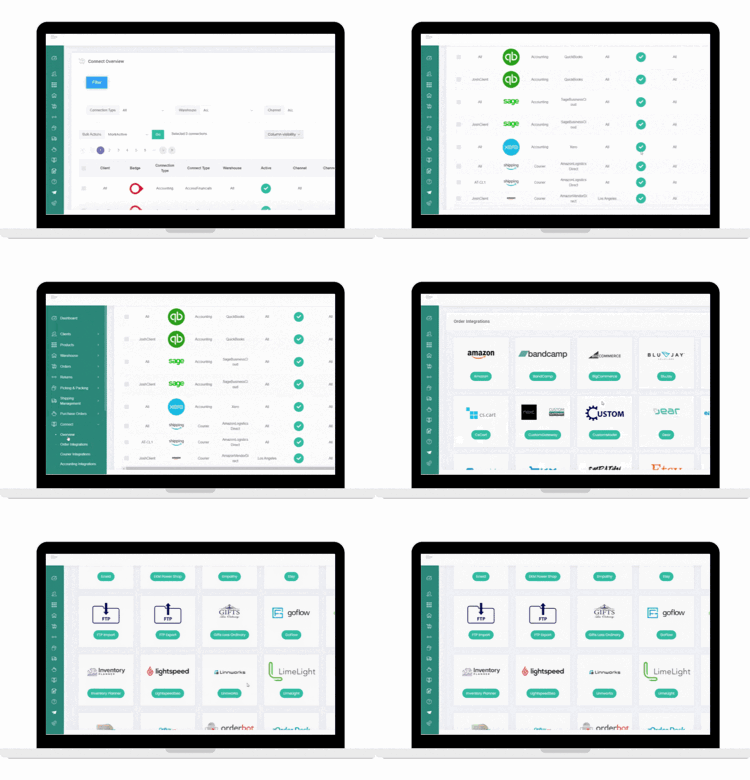
To integrate between Xero and Mintsoft, log into your Mintsoft account and navigate to the “Connectors” section, then select Xero. Follow the prompts to authorise the connection using your Xero credentials. Once you're connected, you can configure your settings to sync invoices, payments, and other financial data between the two systems.
Is the integration set up to address specific financial management needs?
Yes, the integration is set up to address specific financial management needs, for example, automating invoice syncing, payment tracking, and reconciliation. It helps you reduce manual data entry and ensures real-time financial visibility of your business operations.
What are the key benefits of integrating Xero with Mintsoft for my business?
The key benefits of integrating Xero with Mintsoft are improved financial accuracy, time savings through automation, better cash flow management, and enhanced reporting capabilities. The integration creates a seamless link between your order management and accounting systems.
