

Why Integrate Quickbooks with Mintsoft?

Painless Financial Operations
Imagine your financial records always being perfectly maintained. With Mintsoft automatically sharing key data with QuickBooks, you can say goodbye to tedious manual entries and hello to accuracy.

Smarter Financial Picture
With Mintsoft and Quickbooks communicating, your operations and finances come together and provide a much clearer view of your business's health. This means you'll be able to make smarter and faster decisions, completely backed by data.

Invoicing Made Easy
Creating and managing invoices becomes a breeze. Mintsoft feeds all the vital financial information straight into QuickBooks, making your billing processes smoother and easier.

Clearer Cash Flow, Instantly
Get a real-time view of your cash flow. By linking sales, expenses, and operational data, you’ll always know where you stand, helping you make quick, informed financial choices.

Less Admin, More Growth
Let us handle your financial data transfer so you can focus on what truly matters—growing your business. By automating the process, you'll encounter fewer errors and gain precious time to dedicate to what you do best.

Reports That Tell a Story
With Mintsoft’s operational insights and the robust reporting power of QuickBooks combined, you're not just looking at numbers anymore. These detailed financial analyses become essential tools for strategic planning, helping you elevate your business.

Tax Prep? That's easy
With accurate and up-to-date financial data at your fingertips, handling tax season becomes a simple task. Stay compliant without the stress, knowing everything is ready and waiting for you.
How the Quickbooks - Mintsoft Integration Works
- Easy Connection: Securely link your QuickBooks account with Mintsoft to create a really smooth, easy flow for all your financial and operational information.
- Automatic Data Transfer: Your sales, expenses, and inventory details move effortlessly from Mintsoft straight into QuickBooks. Your records stay current without you lifting a finger.
- Built-In Invoicing: You can handle all your invoices directly from Mintsoft. All that financial data is instantly reflected in QuickBooks, giving you a complete, well-rounded financial view of everything.
- See the Full Financial Picture: Use real-time data to get valuable insights into your financial status. This allows for smarter, more proactive financial management, catching things early.
- Plan for What's Next: Use the combined data insights from both platforms to really strengthen your strategic and financial planning efforts. You'll be ready for anything.

Who Benefits?

Growing SMBs & Mid-Market Businesses
If your business is growing and you need to connect the operational data with your financial system for more efficiency.

E-commerce Businesses
Online retailers who need precise financial tracking and super-efficient invoicing solutions

Finance Teams
Professionals looking to genuinely simplify data processes, cut down on manual work, and significantly improve accuracy across their financial systems.
Explore our other API integrations
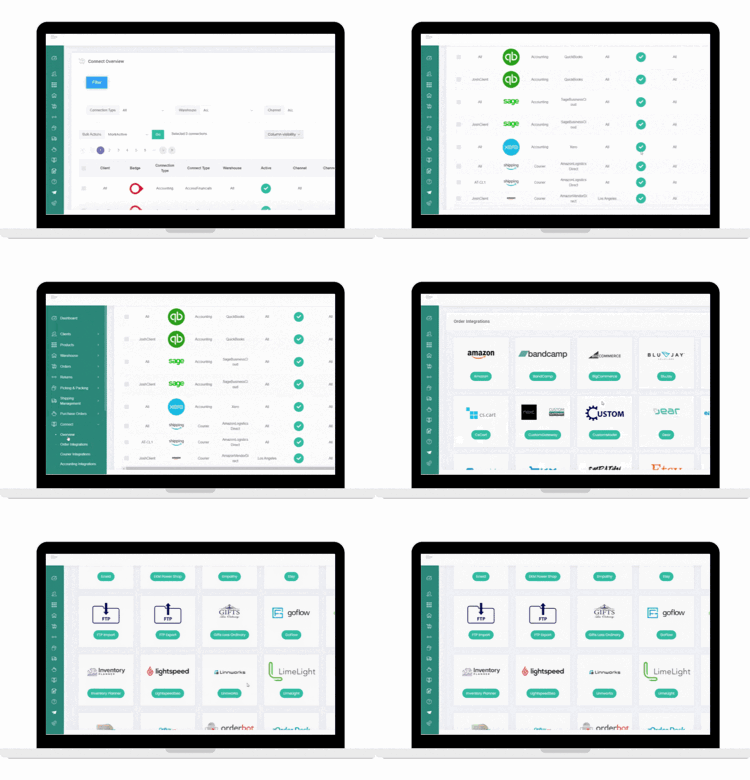
Multi-channel retailers require multiple API integrations and it’s important that your inventory and orders across other marketplaces are managed centrally to avoid stockouts and save time manually checking for orders. Mintsoft offer many other marketplace integrations for you to explore.
Courier Integrations
To complete the fulfillment process, Mintsoft also offer pre-built connections to a wide variety of UK and international shipping partners. If your shipping partner is not currently supported, the Courier API connector tool can help you build custom integrations.
Xero Integration FAQ's
How do I integrate between Xero and Mintsoft?
To integrate between Xero and Mintsoft, log into your Mintsoft account and navigate to the “Connectors” section, then select Xero. Follow the prompts to authorise the connection using your Xero credentials. Once you're connected, you can configure your settings to sync invoices, payments, and other financial data between the two systems.
Is the integration set up to address specific financial management needs?
Yes, the integration is set up to address specific financial management needs, for example, automating invoice syncing, payment tracking, and reconciliation. It helps you reduce manual data entry and ensures real-time financial visibility of your business operations.
What are the key benefits of integrating Xero with Mintsoft for my business?
The key benefits of integrating Xero with Mintsoft are improved financial accuracy, time savings through automation, better cash flow management, and enhanced reporting capabilities. The integration creates a seamless link between your order management and accounting systems.
